
A restaurant POS systemfrom order to daily close.
Napoliy POS keeps table, counter, and takeaway orders connected to checks, payment records, kitchen routing, shifts, stock movements, and operational reporting throughout the same transaction flow.
The POS flow adapts to the way your team serves.
From quick service and table service to multi-location operations, each business works with the flow that matches its day instead of a one-size-fits-all screen.
Keep counter and takeaway queues moving.
Reach popular items quickly, complete required choices during order entry, and send the record straight to the correct preparation point.
Operational impactLess repetition and more orderly order entry during peak periods.Manage tables, checks, and service detail in one place.
Open a table, add items and notes, then move or split the check while preserving its service context through payment.
Operational impactFront of house, the register, and the kitchen follow the same order information.Set standards centrally while retaining local control.
Manage shared products, menus, and permissions centrally while tracking location-specific prices, availability, and results separately.
Operational impactOperational standards scale without losing location-level visibility.The core work a restaurant POS system should manage.
Restaurant POS software does more than calculate a sale total. It records where an order came from, how each item should be prepared, how the check was paid, and which sales, shift, and stock records remain after closing.
Items, modifiers, quantities, and notes stay on one check.
Choose the table or order type, then add menu items, required selections, extras, quantities, and preparation notes. The same check carries those details through to payment.
Order detail is entered once and preserved through payment.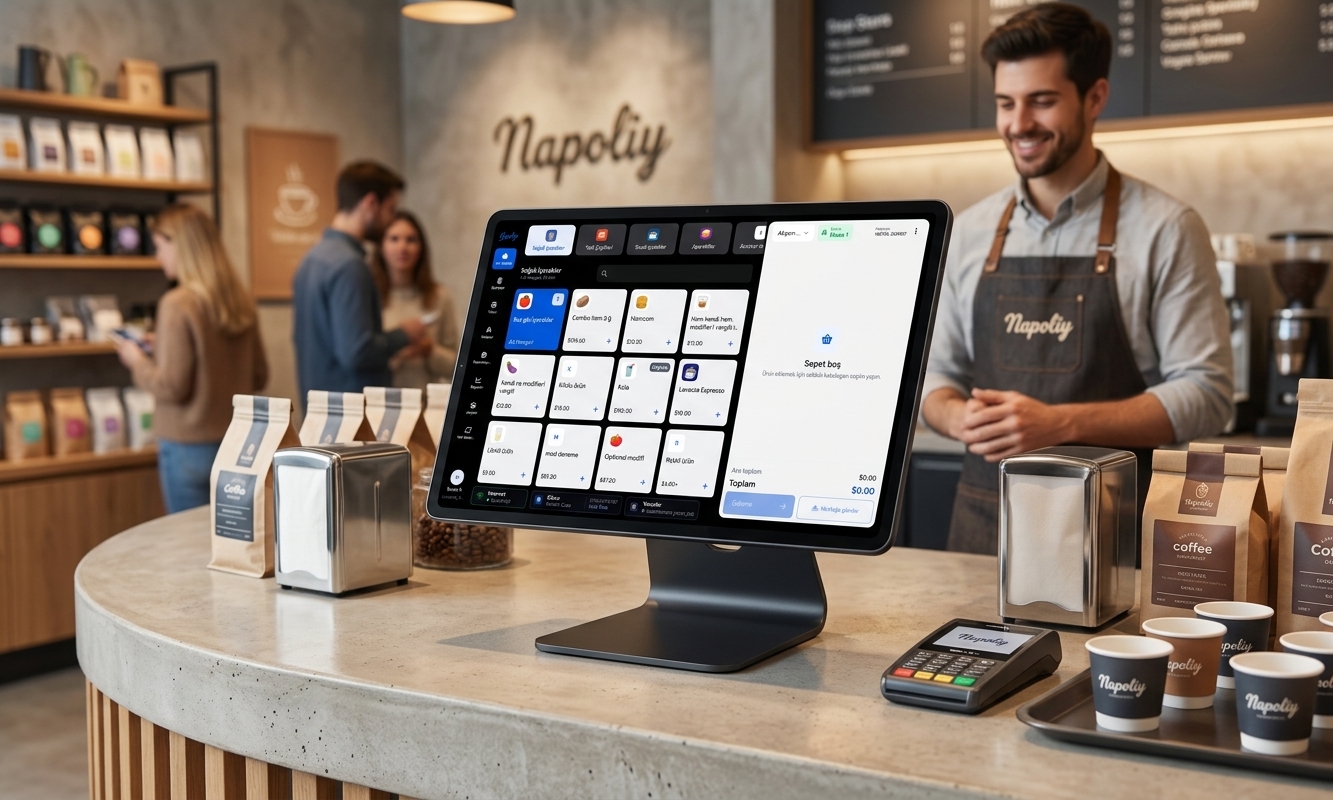
Checks and payment activity close together.
Record cash, card, and other configured tenders, then split a check partially or by item. Remaining balance, change, tips, refunds, and sale closure stay visible in the same payment flow.
Remaining balance and payment activity stay clear for the team.Each item is routed to the correct preparation point.
Send items to their configured KDS screen or kitchen printer. Modifiers and preparation notes travel with the order, so front and back of house work from the same record.
Verbal handoffs decrease because the kitchen sees the required detail with the order.Review the KDS kitchen workflowCore in-store operations can continue offline.
Napoliy POS is designed to keep core in-store workflows available locally during a temporary internet outage. Services that require cloud or external network access resume synchronization when connectivity returns.
Short connection interruptions do not bring the entire service to a stop.How does a restaurant POS connect ordering, preparation, and daily close?
Each transaction supplies the next step with usable data. Staff do not need to re-enter an order, the kitchen sees the required item detail, the register closes the same check, and management reviews the shift from consistent records.
A sale starts in the correct service workflow.
Select table service, counter, or takeaway. Menu items, modifiers, quantities, and notes remain on the relevant check, while table moves and check merges are managed in the same flow.
Table · Counter · TakeawayItems reach the relevant preparation station.
Product and category rules route the order to a KDS screen or printer. Preparation notes stay with each item, and kitchen status remains associated with the sale record.
Routing · Preparation · HandoffPayment and shift activity become reportable records.
Close the check against its payment methods. Sales, discounts, refunds, voids, waste, cash activity, and stock effects can then be reviewed separately in daily reporting.
Payment · Shift · ReportingCloud POS for Android, Windows, and Apple devices.
Use your restaurant or retail POS with the same operational data across Android, Windows, and Apple devices.
 Android
 Windows
 Apple
Apple
What should POS reports show restaurant management?
Revenue alone does not explain an operation. Gross and net sales need context from payment methods, discounts, refunds, voids, waste, cash differences, product movement, and location results.
Questions to answer before choosing a restaurant POS system.
A practical comparison of order structure, kitchen communication, connection continuity, and multi-location management.
What is a restaurant POS system, and how is it different from a payment terminal?
A payment terminal processes card transactions. A restaurant POS system is the software and hardware used to manage orders, tables and checks, modifiers, kitchen routing, payment records, shifts, stock movements, and reporting. The card reader may be one component used at the payment stage.
Which features should you compare in a restaurant POS system?
Start by documenting the service model: table service, counter, takeaway, or a combination. Then compare menu and modifier handling, check splits and transfers, KDS or printer routing, payment and refund records, permissions, offline scope, stock effects, daily reporting, multi-location support, data migration, and technical support.
How do a restaurant POS and KDS work together?
Items, modifiers, and preparation notes recorded in the POS are routed to the configured kitchen station. Napoliy POS and Napoliy KDS use the same order record, reducing duplicate entry and keeping preparation states associated with the order flow.
Which POS operations continue if the internet goes down?
Napoliy POS is designed to keep core in-store workflows available locally during temporary connection interruptions. Cloud access, remote reporting, and external services may require internet access; queued data resumes synchronization when connectivity returns. Confirm the offline behavior of each payment method and integration before deployment.
How should a restaurant management system support multiple locations?
A multi-location system should manage shared items, menus, roles, and reporting centrally while retaining location-specific pricing, availability, and operating settings. Napoliy POS brings location data into one management view so authorized users can review sales, checks, products, and payment results by location.
Plan a POS demo for your restaurant or store.
See how restaurant POS, retail POS, KDS, payments, inventory, reporting, and multi-location management work together in your business.