
Run every sale.See the whole shift.
Napoliy POS brings orders, payments, menus, kitchen communication, and daily control into one clear system—so your team can move quickly without losing the details.
Napoliy is ready on the platform you use.
Work with the same clear, powerful, and dependable POS experience across Android, Windows, and Apple ecosystems.
 Android
 Windows
 Apple
Apple
Everything the team needs to keep service moving.
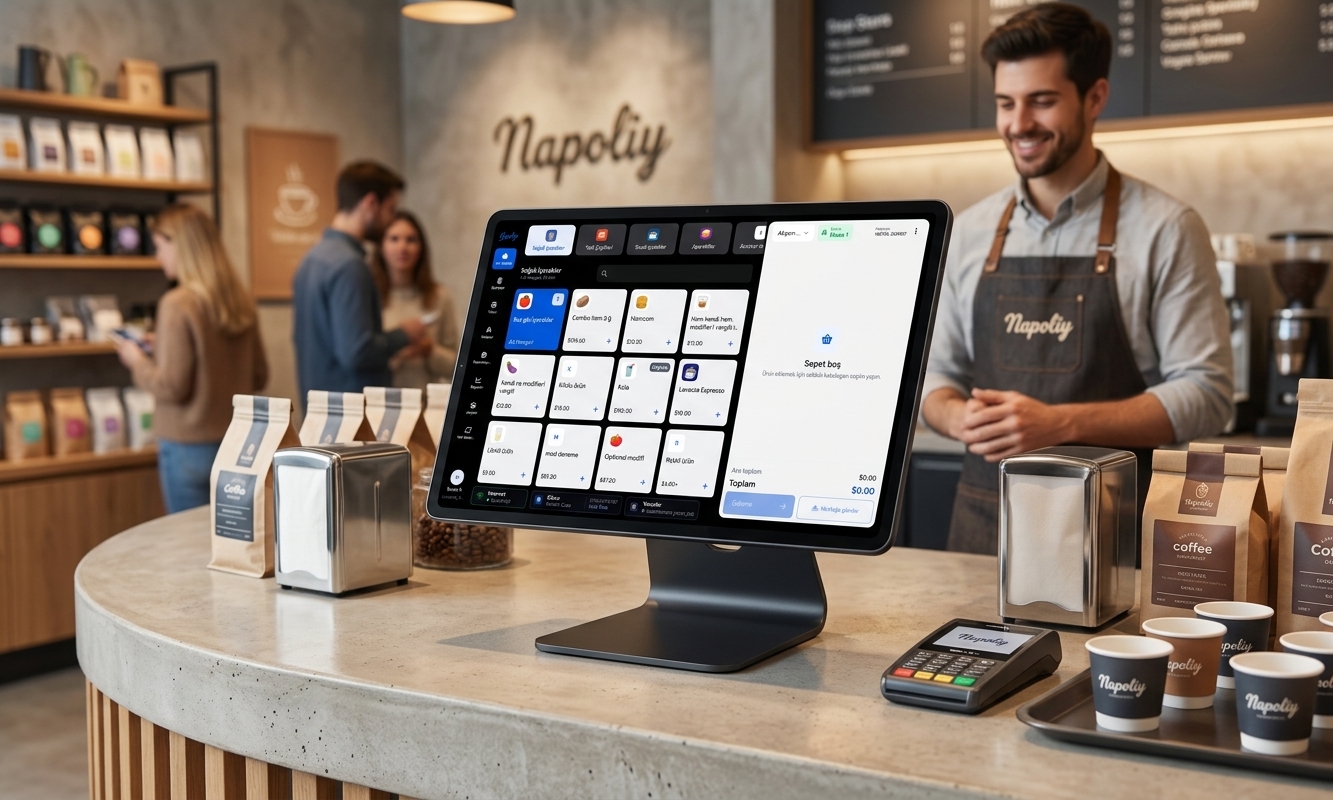
A focused point-of-sale workspace keeps common actions close, makes order details easy to follow, and adapts to the way your business serves.
Fast where the rush is.
Move from menu to check with fewer steps while modifiers, quantities, notes, and totals remain clear throughout the order.
A payment flow your team can follow.
Keep totals, tenders, split payments, tips, and end-of-sale details in one consistent checkout experience.
Orders leave the screen ready for action.
Send accurate order details into the kitchen workflow and keep front- and back-of-house teams aligned.
Explore Napoliy KDSKeep the essential work moving.
Napoliy is designed so core in-store operations remain available through temporary connection interruptions.
From first order to final close, the work stays connected.
Napoliy links the moments that shape a shift, giving the team one reliable operational flow instead of disconnected tools.
Take the order with context.
Move between counter, table, and takeaway workflows while keeping the right menu, customer, and check details close.
Table · Counter · TakeawayKeep every handoff clear.
Carry item choices and preparation notes from the sale into the kitchen and through the rest of service.
Order · Kitchen · HandoffClose the day with context.
Bring sales, shifts, cash activity, stock movement, and operational reporting into the same business view.
Sales · Shifts · StockKnow what happened. Decide what comes next.
Turn daily POS activity into a clearer view of performance, without waiting for information to be pieced together from separate systems.
A clearer way to think about POS.
Practical answers for businesses comparing modern point-of-sale systems.
What is a POS system?
A point-of-sale system is the software and hardware a business uses to enter orders, calculate totals, record payments, and manage the activity around each sale. A modern POS can also connect menus, kitchen workflows, inventory, staff operations, and reporting.
What should a restaurant POS system include?
A restaurant POS should support the way the venue serves: quick orders or table service, modifiers, split checks, payment recording, kitchen communication, shifts, and useful sales reporting. The right setup should match the menu and operating model rather than force a generic workflow.
Can Napoliy POS connect with a kitchen display system?
Yes. Napoliy POS and Napoliy KDS are designed as connected parts of the same order flow, helping order details move from the point of sale to the kitchen and through preparation.
Can the POS keep working if the internet connection drops?
Napoliy is designed to keep core in-store workflows available during temporary connection interruptions. Services that require a network connection can continue syncing when connectivity returns.
Is Napoliy suitable for multiple locations?
Yes. Napoliy supports growing and multi-location businesses with shared operational visibility, menu control, and location-aware workflows from one connected platform.
Ready for a POS that feels like the future?
Tell us about your business. We’ll show you how Napoliy brings your counter, kitchen, payments, and reporting together around your real workflow.